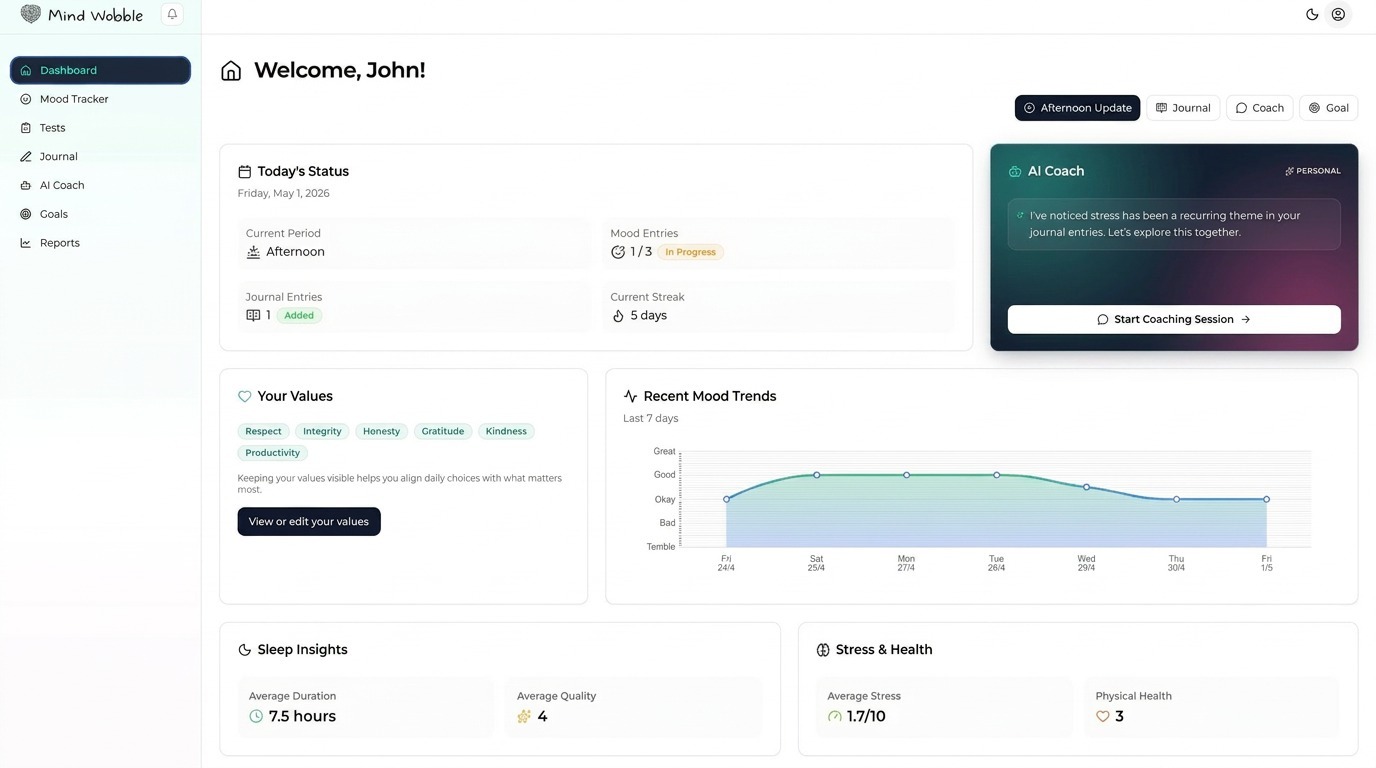
Mind Wobble is designed as a connected wellbeing system. Each feature can be useful on its own, but the app works best when your check-ins, journal entries, goals, self-discovery results, and coaching conversations build context for each other.
How the system fits together
The core flow is simple:
- Use the Dashboard to see what needs attention today.
- Log Mood Tracker check-ins so patterns have real data.
- Use Journal entries to add detail and reflection.
- Set Goals so your progress has direction.
- Take Self-Discovery Tests to clarify values, personality, learning style, and life balance.
- Review Reports to spot trends.
- Use the AI Coach to bring the context together in conversation.
The more consistently you use the tracking and reflection tools, the more useful the dashboard, reports, prompts, and coaching become.
A good weekly rhythm
Start small. A practical routine is:
- Log one mood check-in each morning.
- Add a second or third mood check-in when your day changes noticeably.
- Write a journal entry when something needs more context than a score can capture.
- Review reports once a week, looking for patterns rather than perfect numbers.
- Use the AI Coach when you want to make sense of a pattern or choose a next action.
- Keep one or two active goals visible so the app is tied to real changes.
What to use first
If you are new to Mind Wobble, start with:
- Values Test, because values help the coach and goals understand what matters to you.
- Mood Tracker, because repeated check-ins create the clearest patterns.
- Journal, because it explains the reasons behind the numbers.
- Goals, because they turn insights into action.
- AI Coach, because it can help you connect the dots.
What not to worry about yet
You do not need to fill in everything every day. Missing a check-in or skipping a journal entry does not break the system. The goal is to create enough useful context over time, not to turn wellbeing into admin.
Your account
Beyond the wellbeing tools, the account area is where you manage everything about you: your profile and personal details, app settings and notifications, your billing and subscription, and support. Start with the Account Overview for a map, or go straight to Cancelling Your Account if you need to stop your subscription or close your account.