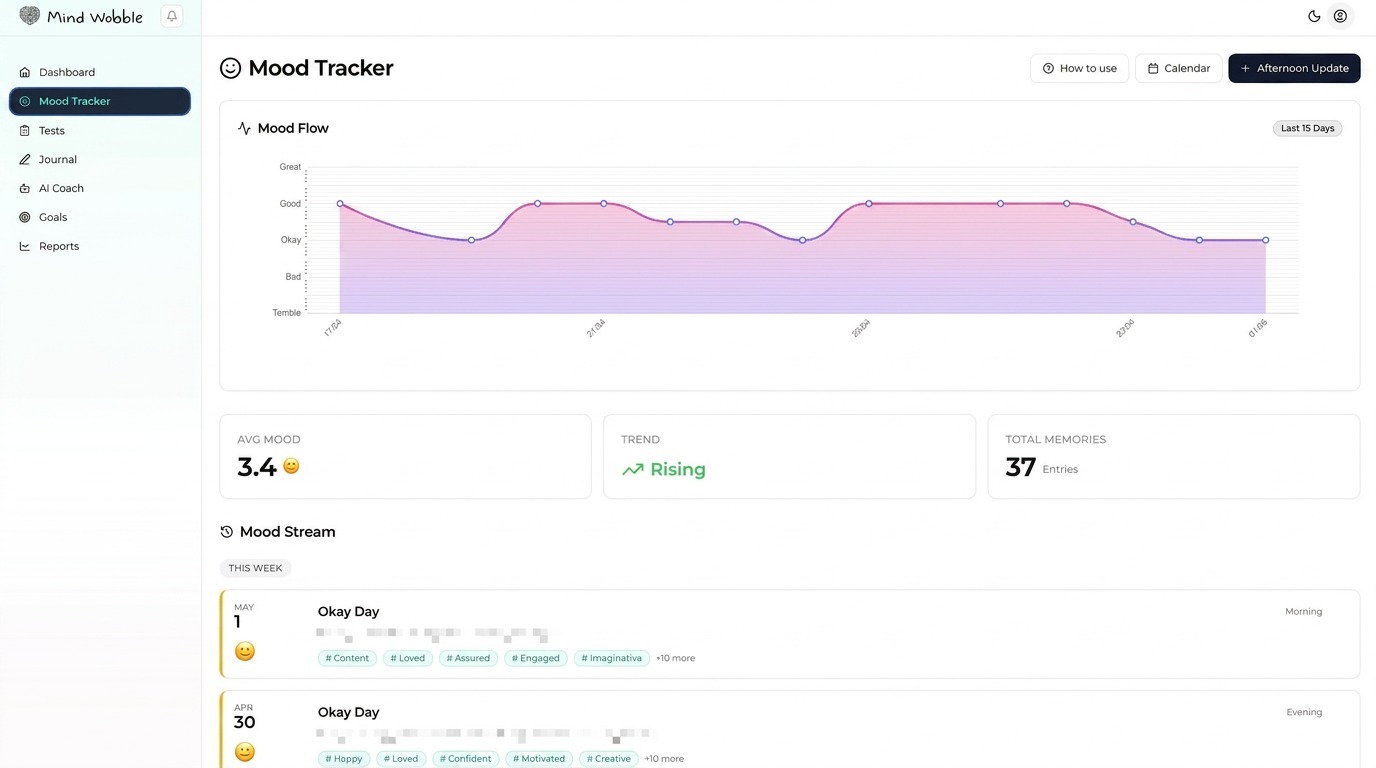
The mood tracker is the main source of daily wellbeing data in Mind Wobble. It lets you record how you feel and the context around that feeling.
How daily check-ins work
Mind Wobble supports up to three mood entries per day:
- Morning
- Afternoon
- Evening
The app uses your local time to decide which check-in is next. The dashboard shows how many of the three daily entries you have completed.
You do not have to complete all three every day. One honest check-in is better than three rushed ones.
What to record
A mood entry can include:
- Overall mood score.
- Emotions grouped by type.
- Sleep duration and sleep quality.
- Physical health and symptoms.
- Exercise type and duration.
- Weather and environment.
- Social interaction quality.
- Stress level and stress sources.
- Coping strategies.
- Personal notes.
Some sections are more relevant at certain times of day. For example, sleep usually matters most in the morning, while social and stress context may become clearer later.
How to log a useful entry
Start with the mood score, then add the context that explains it. If your mood is low, the most useful extra fields are usually sleep, stress sources, health symptoms, and notes. If your mood is high, record what helped, such as exercise, good sleep, social connection, or a useful coping strategy.
Use notes for anything the structured fields cannot capture. A short sentence is enough.
Editing and reviewing entries
You can edit past entries from the mood tracker views. Use edits for corrections, not for making a difficult day look better. Reports and coaching are more useful when the data is honest.
How mood data connects to the app
Mood entries power:
- Dashboard status and streaks.
- Recent mood trends.
- Reports and chart summaries.
- Journal prompt context.
- AI Coach context.
- Pattern spotting around sleep, stress, exercise, and social connection.
Frequently asked questions
Do I have to fill in every section of a mood entry?
No. The mood score is the only essential field. Add the context that feels relevant for the moment. A short, honest entry is more useful than a long, padded one.
What if I miss a check-in for the day?
Missing a check-in does not break anything. The dashboard simply shows that fewer entries are logged for that day. You can log the next available period when you remember, or skip the day and resume tomorrow.
Why is there a limit of three entries per day?
Three check-ins (morning, afternoon, evening) cover the main shifts in most days without turning tracking into admin. Patterns become more useful when entries are spaced across the day rather than clustered into many short logs.
Should I edit a past entry to make a difficult day look better?
No. Use edits for genuine corrections, such as fixing a wrong sleep value. Reports, prompts, and coaching are only useful when the underlying data is honest, including the harder days.
Do I have to use the morning, afternoon, and evening labels strictly?
The labels are guidance for context, not a strict clock. Mind Wobble uses your local time to suggest the next period, but the important thing is that each entry reflects how you actually felt around the time you logged it.