Your profile is where you manage who you are on Mind Wobble and the personal details that help the app tailor its insights to you. It is organised into three tabs: Profile, Details, and Privacy.
Profile
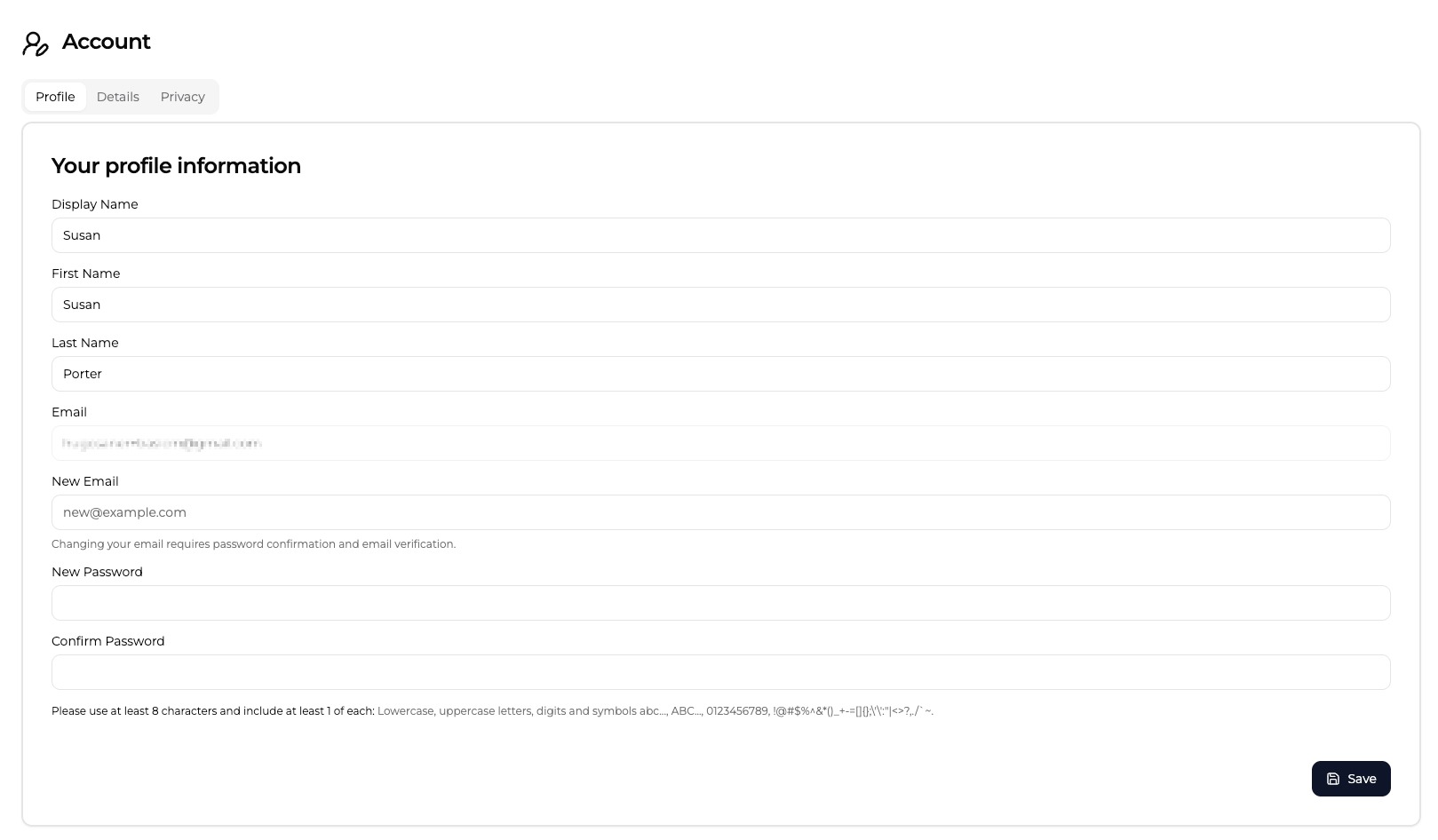
The Profile tab holds your account identity:
- Display Name — how you appear in the app.
- First Name and Last Name — optional, used to personalise messages.
- Email — the address your account is registered to. It is shown here but changed through the separate field below rather than edited directly.
Changing your email
If you signed up with an email address and password, a New Email field appears. Enter the address you want to move to and save. For your security, Mind Wobble then asks you to confirm your current password before the change goes ahead, and sends a verification link to the new address. The change only completes once you click that link, so your old email stays active until then.
If you signed in through another provider, your email is managed there, so this field does not appear.
Changing your password
Use New Password and Confirm Password to set a new password. A password needs at least eight characters and must include a lowercase letter, an uppercase letter, a number, and a symbol. Leave these fields blank if you only want to update other details.
Confirming your password before an email change is a deliberate safeguard: sensitive account changes ask you to prove it is really you.
Details
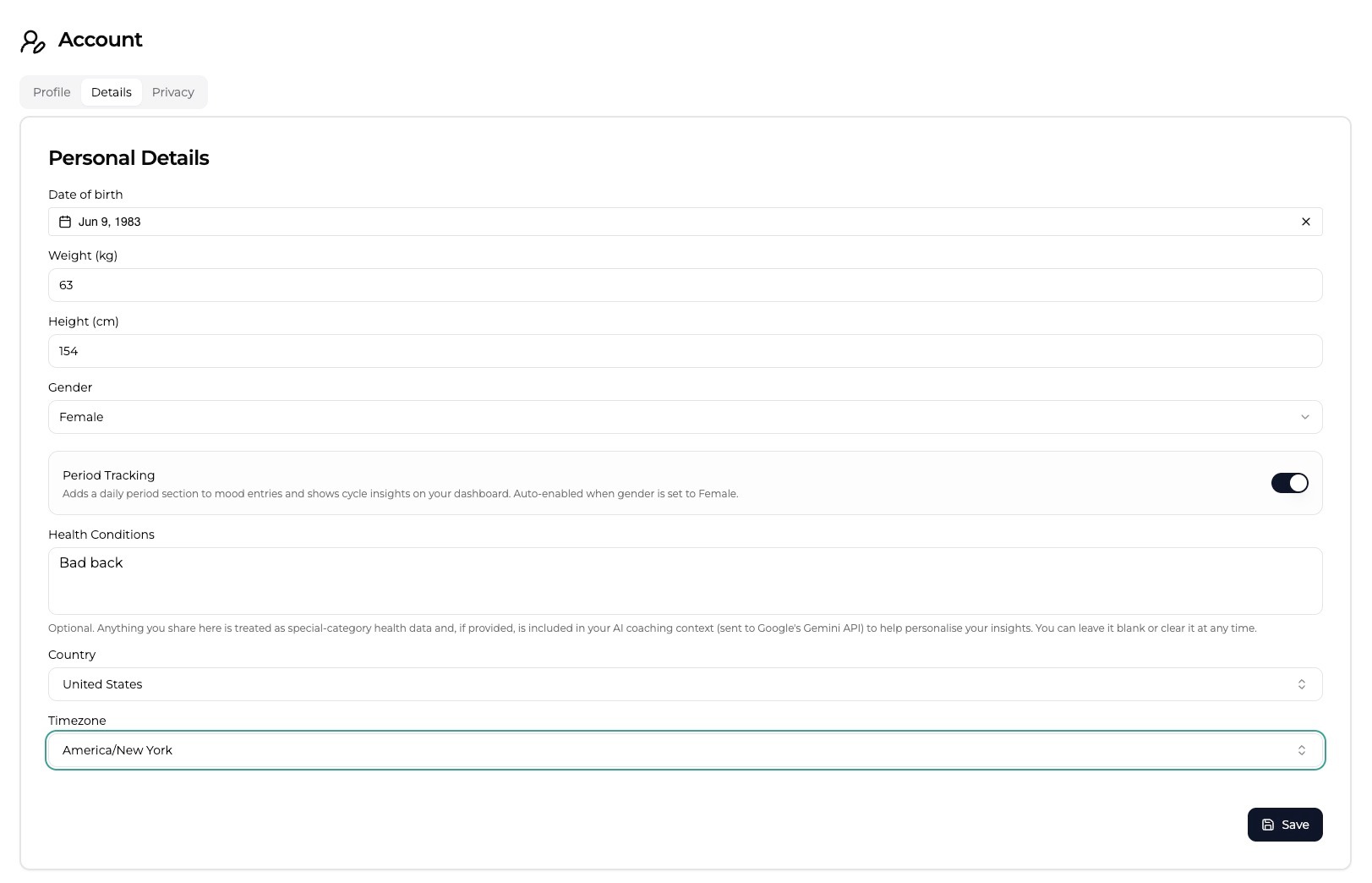
The Details tab holds your personal and wellbeing information. None of it is required, but each field helps the app give you more relevant insights:
- Date of birth and Gender — used to compare your self-discovery test results against the right reference groups.
- Weight (kg) and Height (cm) — context for physical-health summaries.
- Period Tracking — when enabled, adds a daily period section to your mood entries and shows cycle insights on your dashboard. It is switched on automatically when gender is set to Female, and you can turn it off again here.
- Health Conditions — an optional free-text note. Anything you write here is treated as sensitive health data and, if provided, is included in your AI coaching context to help personalise your insights. You can leave it blank or clear it at any time.
- Country and Timezone — so reminders and time-of-day prompts arrive when they make sense for you.
You are always in control of this data. You can update or clear any field, and you can review how it is handled in the Privacy Policy. Mind Wobble is built to keep your information private and to use it only to provide the service to you.
Privacy
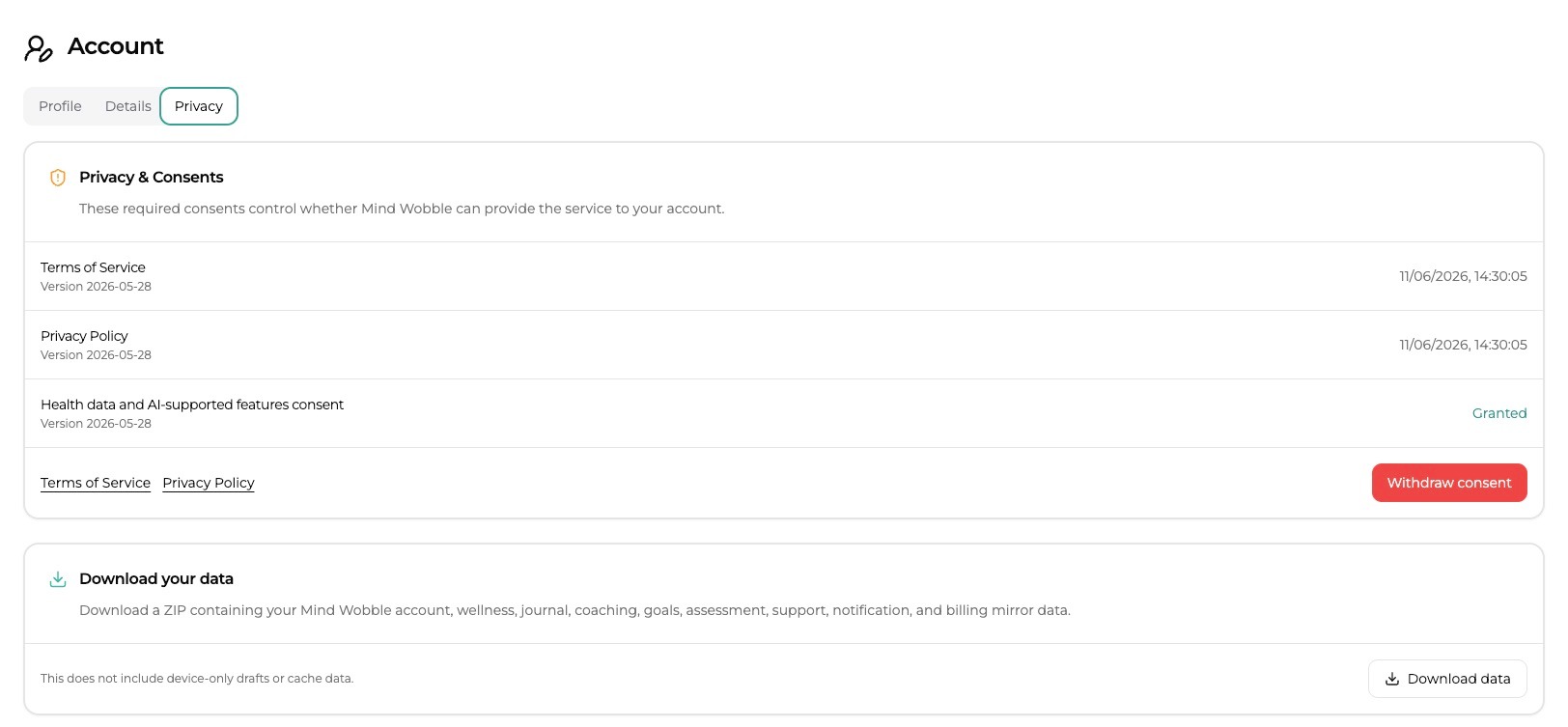
The Privacy tab is where you can review your consents and export your data.
- Privacy & Consents lists the versions and dates of the Terms of Service, Privacy Policy, and health-data consent you have accepted, with a control to withdraw consent. Because Mind Wobble's core features depend on processing your wellbeing data, withdrawing this consent blocks access to the app until you accept again — it does not cancel your billing or delete your account by itself. See Settings and Cancelling Your Account for what to do next.
- Download your data prepares a ZIP of your account, wellness, journal, coaching, goals, assessment, support, notification, and billing data so you always have your own copy.
Deleting your account
Deleting your account is also done from this page, in the danger zone at the bottom. It is permanent, so it is covered separately in Cancelling Your Account, alongside cancelling your subscription and asking for a refund.